
Community
Free and self-hosted, for personal servers and side projects.
Free
Self-hosted, forever
1 servers
- All core modules
- Git deploys for Node.js apps
- Let’s Encrypt SSL
- Community forum support
The secure Linux server control panel with Git deploys.
Pushpendra Panel runs websites, Node.js apps, databases, DNS, mail and SSL on your own Ubuntu server — with a privilege-separated architecture and push-to-deploy built in.
curl -fsSL https://ptpanel.in/install.sh | sudo bash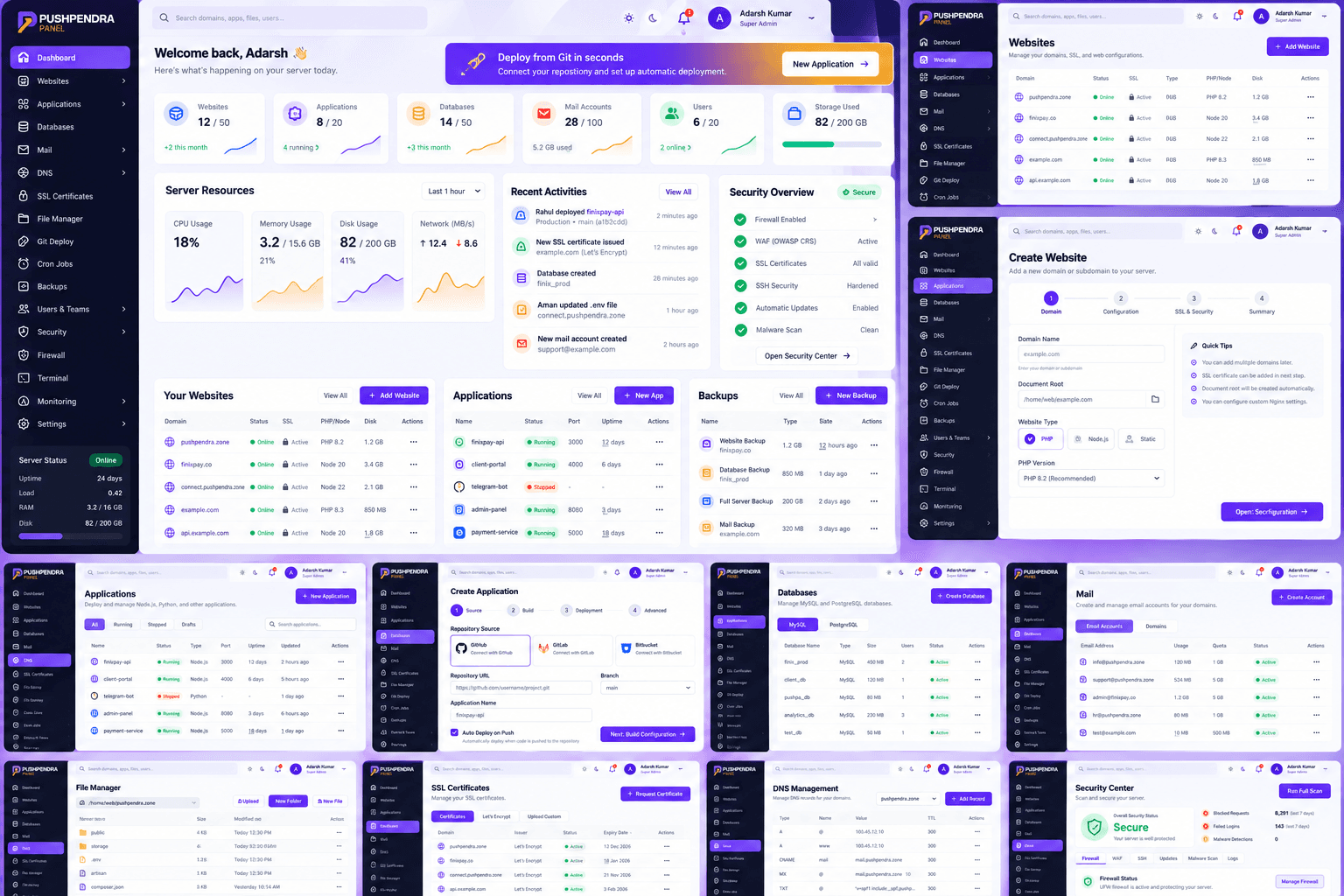
Traditional hosting panels were designed for shared hosting. Pushpendra Panel is designed around Git workflows, isolation and safe changes.
Atomic releases with health checks mean a broken build never takes your site down.
Configs are validated before reload and the last known-good version is kept.
Workspaces and roles let agencies hand over access without handing over the server.
A single script sets up the panel, agent, Nginx integration and database on a fresh Ubuntu server.
From the first website to a fleet of apps and mailboxes — each module is independent, audited and permission-aware.
Run one command on a fresh Ubuntu 22.04 or 24.04 server. The installer checks the system, creates service accounts and prints a one-time admin login.
Point your domain at the server and add it in the panel. Nginx config is generated and validated, and a Let’s Encrypt certificate is issued.
Connect a Git repository with a deploy key. Every push is built, health-checked and switched atomically — with instant rollback.
$ git push origin main
→ webhook verified · deployment #42 queued
→ fetch a1b2c3d · npm ci · npm run build
→ health check GET /health → 200 OK
→ switched release · previous release kept for rollback ✓
The web interface never runs as root. Privileged work goes through a small agent that only accepts typed, validated operations.
The web API runs as an unprivileged user. It cannot run arbitrary shell commands — there is no such endpoint.
Root-level work is done by a small Go agent that only accepts a fixed allowlist of schema-validated operations over a local socket.
Argon2id password hashing, opaque session tokens stored only as hashes, brute-force lockouts and per-device session revocation.
Workspaces cannot see each other’s resources; databases and Redis are not exposed publicly unless you choose to.
Release archives are published with SHA-256 checksums and ed25519 signatures and delivered over TLS.
Privileged and sensitive actions are recorded with actor, IP, result and redacted metadata.
nginx -t first — a failing config never replaces the last known-good oneserver_name example.com www.example.com; listen 443 ssl http2; # generated by Pushpendra Panel — validated with nginx -t
push main → fetch a1b2c3d → npm ci → npm run build
→ GET /health 200 → switch release → reload ✓
Self-host the Community edition at no cost. Paid plans add more servers and priority help.
Free and self-hosted, for personal servers and side projects.
For freelancers and small teams running production workloads.
For agencies and companies managing many servers and clients.
Ubuntu 22.04 LTS and 24.04 LTS on amd64 or arm64. Debian support is planned. Install on a fresh server — the installer checks OS, architecture, memory, disk and required ports before changing anything.
See the pricing page. The Community plan is free to self-host; paid plans add more servers and support. Prices are shown in the currency configured by the owner.
Pushpendra Panel manages an existing Linux server. We recommend installing it on a fresh server rather than on top of another control panel, because both would try to own Nginx, DNS and mail configuration.
Yes. Each site chooses its mode — static, PHP, reverse proxy or Node.js application — and Node apps run as their own unprivileged users behind Nginx.
The panel checks this site for new releases on your chosen channel (stable or beta). Every release archive has a published SHA-256 checksum and an ed25519 signature that the updater verifies before installing.
Start with the documentation, then ask in the community forum. You can also reach us through the contact page.
Install Pushpendra Panel on a fresh Ubuntu server in minutes. Join the forum if you get stuck.